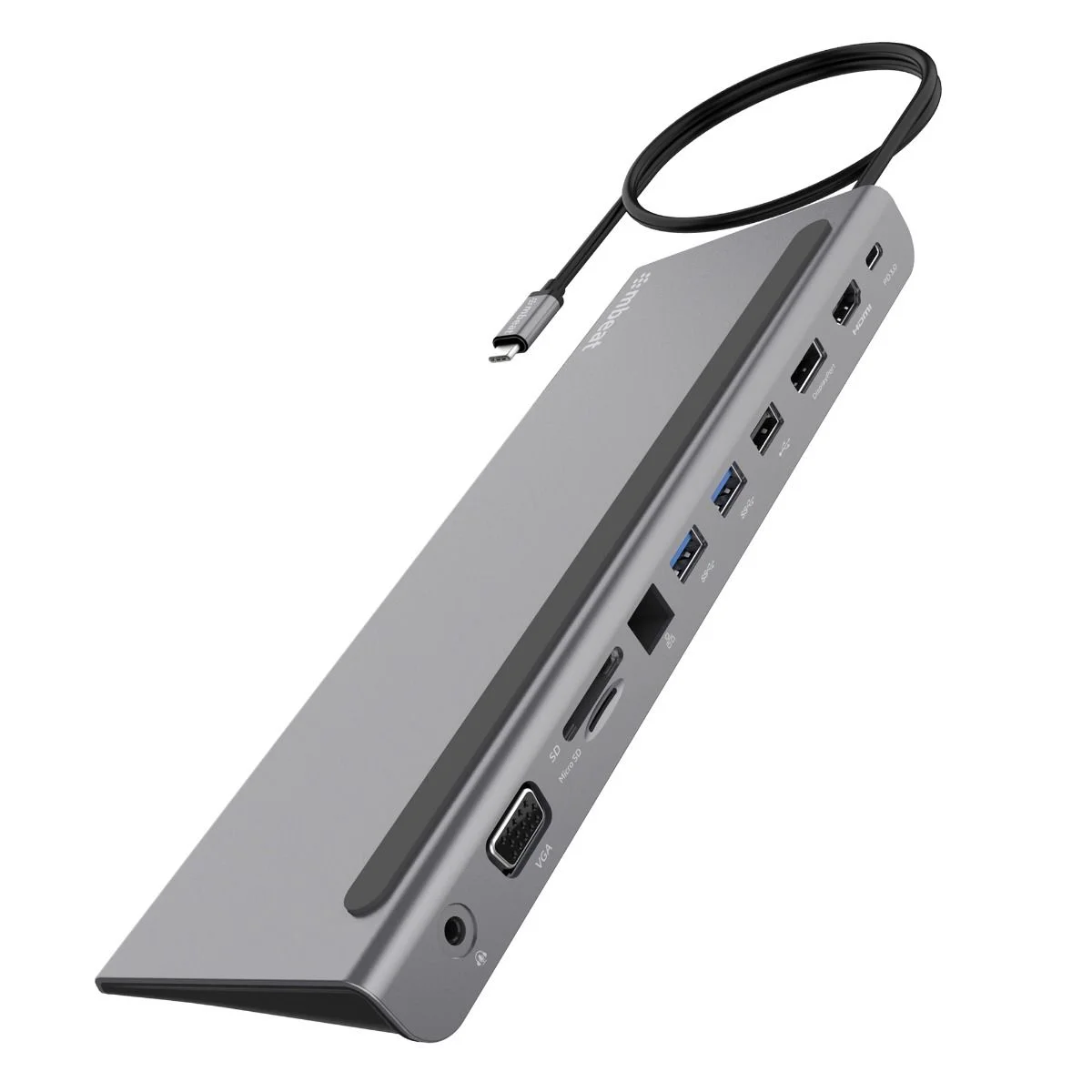
The Simplecom CHN622 is a 12-in-1 USB-C multiport docking station with a laptop stand design, turning a single USB-C port into a full desktop setup with dual HDMI and VGA triple video outputs, Gigabit Ethernet, USB expansion and 100W Power Delivery charging.
Styled as a laptop stand, the dock sits below your laptop to lift it for better airflow and a more comfortable viewing angle while saving desktop space. It is a comprehensive connectivity solution for connecting multiple devices to your laptop at once.
Key Features
- 12-in-1 USB-C multiport docking station for comprehensive laptop expansion
- USB ports support up to 5Gbps transfer rate following USB 3.2 Gen 1 specification
- Dual HDMI plus VGA triple video outputs with MST support
- Single HDMI supports up to 4K@30Hz; dual HDMI supports up to 1080p@60Hz
- Mirror or Extended mode support (maximum 2 extended mode displays)
- Gigabit Ethernet with connection speeds up to 1000Mbps
- USB-C PD port charges the laptop with up to 100W of power
- Laptop stand style dock improves heat dissipation and saves desktop space
- Sturdy aluminium alloy housing
- Plug and play, no driver software required
Specifications
- USB Hub: 1x USB-C (SuperSpeed 5Gbps), 3x USB-A (2x SuperSpeed 5Gbps, 1x HighSpeed 480Mbps)
- Video Output: 2x HDMI, VGA
- HDMI Resolution: single HDMI up to 4K@30Hz; dual HDMI up to 1920x1080@60Hz on each external monitor
- VGA Resolution: up to 1080p@60Hz
- MST Support: Yes (Windows system only)
- RJ45 Port: Gigabit Ethernet (10/100/1000 Mbps)
- Card Reader: SD and MicroSD (HighSpeed 480Mbps)
- PD Charging: USB-C Female (for charging only), up to 100W
- 3.5" Audio Jack: Yes (for audio output only)
- Operating Temperature: 0 - 45°C
- Dimensions: 27.3 x 8 x 1.7cm
- Cable Length: 25cm
- Weight: 250g
- Housing: Aluminium Alloy
System Requirements
- Available USB-C port on PC, Mac, phone or tablet with DisplayPort Alternate Mode support
- Operating system: Windows 8 or above, MacOS 10.9 or above
Important Notes
- Before purchasing, confirm the USB-C port on your device supports DisplayPort Alternate Mode (DP Alt Mode). Some USB-C ports only work for charging or data transfer and have no video output function.
- The USB-C PD port is for PD charging only, not for data transfer.
- Connect a power delivery adapter when using high powered devices.
- Not recommended for charging iPad, tablet or other high power USB devices.
- MST is for Windows systems only; MacOS does not support MST.